Integrations
MCP Server (Claude Code)
Add to your project's .mcp.json (or global ~/.claude/config.json):
The giddy mcp command finds the project root by walking up to .giddyanne.yaml, or falls back to the nearest .git/ directory.
Optional environment variables for MCP:
| Variable | Description |
|---|---|
GIDDY_RERANK=1 |
Enable cross-encoder reranking |
GIDDY_OLLAMA=1 |
Use Ollama for GPU-accelerated embeddings |
{
  "mcpServers": {
    "giddyanne": {
      "command": "giddy",
      "args": ["mcp"],
      "env": { "GIDDY_RERANK": "1", "GIDDY_OLLAMA": "1" }
    }
  }
}
Emacs
Requires Emacs 28.1+.
Add to your init file:
(add-to-list 'load-path "/path/to/giddyanne/emacs")  ; adjust to your clone location
(require 'giddyanne)

;; Optional keybindings
(global-set-key (kbd "C-c g f") #'giddyanne-find)
(global-set-key (kbd "C-c g u") #'giddyanne-up)
(global-set-key (kbd "C-c g d") #'giddyanne-down)
(global-set-key (kbd "C-c g s") #'giddyanne-status)
Or with use-package:
(use-package giddyanne
  :load-path "/path/to/giddyanne/emacs"
  :bind (("C-c g f" . giddyanne-find)
         ("C-c g u" . giddyanne-up)
         ("C-c g d" . giddyanne-down)
         ("C-c g s" . giddyanne-status)))
Doom Emacs config
(use-package giddyanne
  :load-path "/path/to/giddyanne/emacs"
  :commands (giddyanne-find giddyanne-up giddyanne-down giddyanne-status giddyanne-log giddyanne-health)
  :init
  (map! :leader
        (:prefix "s"
         :desc "giddyanne" "g" #'giddyanne-find)
        (:prefix "g"
         (:prefix ("a" . "giddyanne")
          :desc "up" "u" #'giddyanne-up
          :desc "down" "d" #'giddyanne-down
          :desc "find" "f" #'giddyanne-find
          :desc "log" "l" #'giddyanne-log
          :desc "status" "s" #'giddyanne-status
          :desc "health" "h" #'giddyanne-health))))
Commands
| Command | Description |
|---|---|
giddyanne-find |
Semantic search with completion |
giddyanne-up |
Start server |
giddyanne-down |
Stop server |
giddyanne-status |
Show server status |
giddyanne-health |
Show index stats |
giddyanne-sitemap |
Show indexed files as tree |
giddyanne-log |
Toggle log buffer |
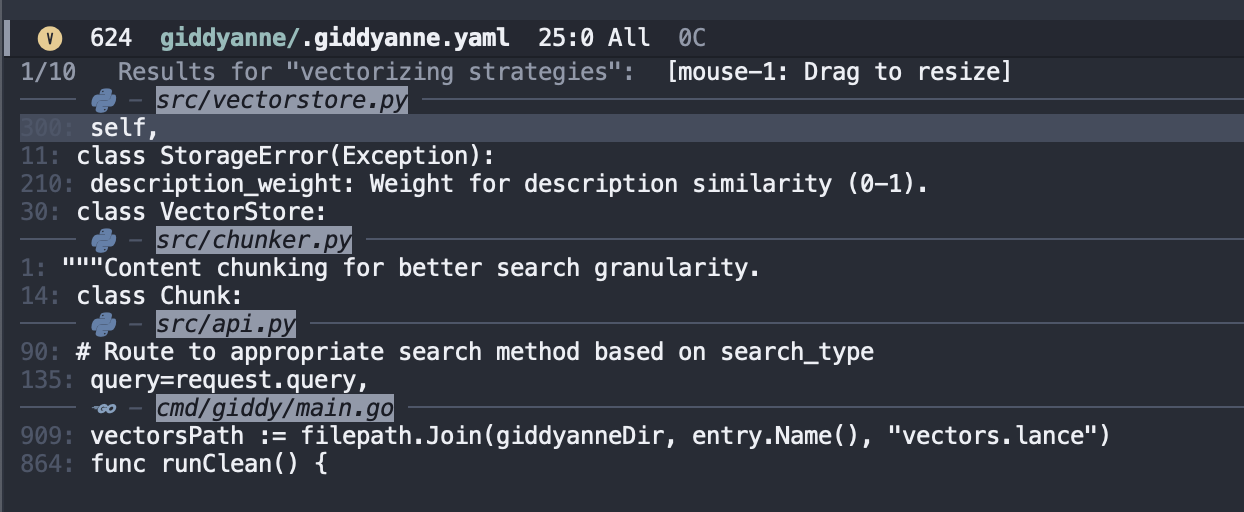
The package integrates with Vertico (showing results grouped by file) and nerd-icons (file type icons in results).
VSCode
Requires Node.js 18+ and npm.
Commands
| Command | Keybinding | Description |
|---|---|---|
Giddyanne: Find |
Cmd+Shift+G |
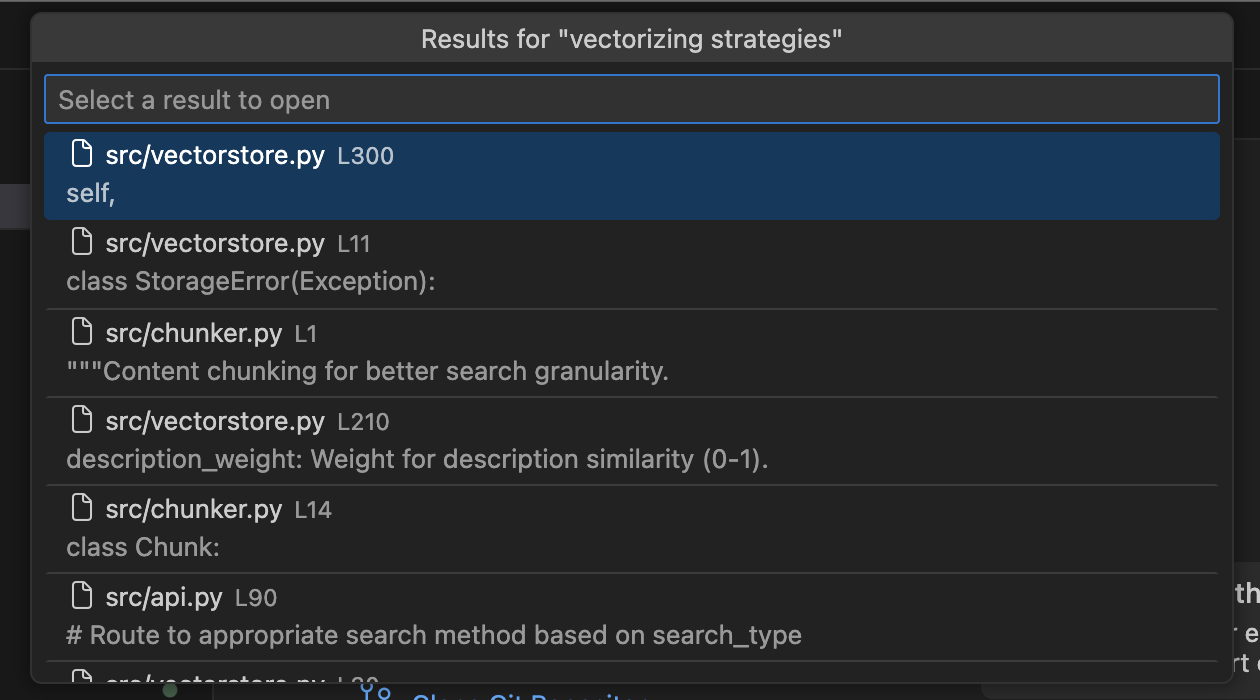
Semantic search with QuickPick |
Giddyanne: Start Server |
Start server | |
Giddyanne: Stop Server |
Stop server | |
Giddyanne: Server Status |
Show server status | |
Giddyanne: Index Health |
Show index stats | |
Giddyanne: Sitemap |
Show indexed files as tree | |
Giddyanne: Stream Logs |
Open terminal with live logs |
HTTP API
The CLI manages the HTTP server for you, but you can also use the API directly:
# Search files
curl -X POST http://localhost:8000/search \
  -H "Content-Type: application/json" \
  -d '{"query": "database connection", "limit": 5}'

# Get stats
curl http://localhost:8000/stats

# Check indexing progress
curl http://localhost:8000/status

# Health check
curl http://localhost:8000/health
Endpoints
| Endpoint | Method | Description |
|---|---|---|
/search |
POST | Search the codebase. Body: {"query": "...", "limit": 10} |
/status |
GET | Indexing progress and server state |
/stats |
GET | Index statistics (files, chunks, size) |
/health |
GET | Liveness check |
/sitemap |
GET | List all indexed file paths. ?verbose=true for chunk counts and mtimes |